
Key Points
A funding administrator is any plan manager or funding body that receives invoices through FlowLogic. They're stored in the Funding Administrators section in the left-hand menu.
Funding administrators act as the bridge between FlowLogic and your financial software, deciding which account invoices land in.
The export code (or the name, if you sync by name) must exactly match the account in your financial package - even a small difference can cause syncing issues.
Add every entity that receives invoices, including the NDIA, aged care, DCJ and other funding bodies - not just plan managers.
Set up funding administrators before building funding allocations. They only appear in the allocation dropdown once they exist.
The Funding Administrators section, found in the left-hand menu, is where all of your plan managers and funding bodies are stored in FlowLogic. It acts as the bridge between FlowLogic and your financial software, determining which account invoices land in when they're sent through. Getting this section set up correctly before you start building funding allocations will save you significant time later.
What You'll See
The table view displays each funding administrator's UID, export code, name, contact details, who created the record, and their current status. Opening an individual record gives you a more detailed view of the same information.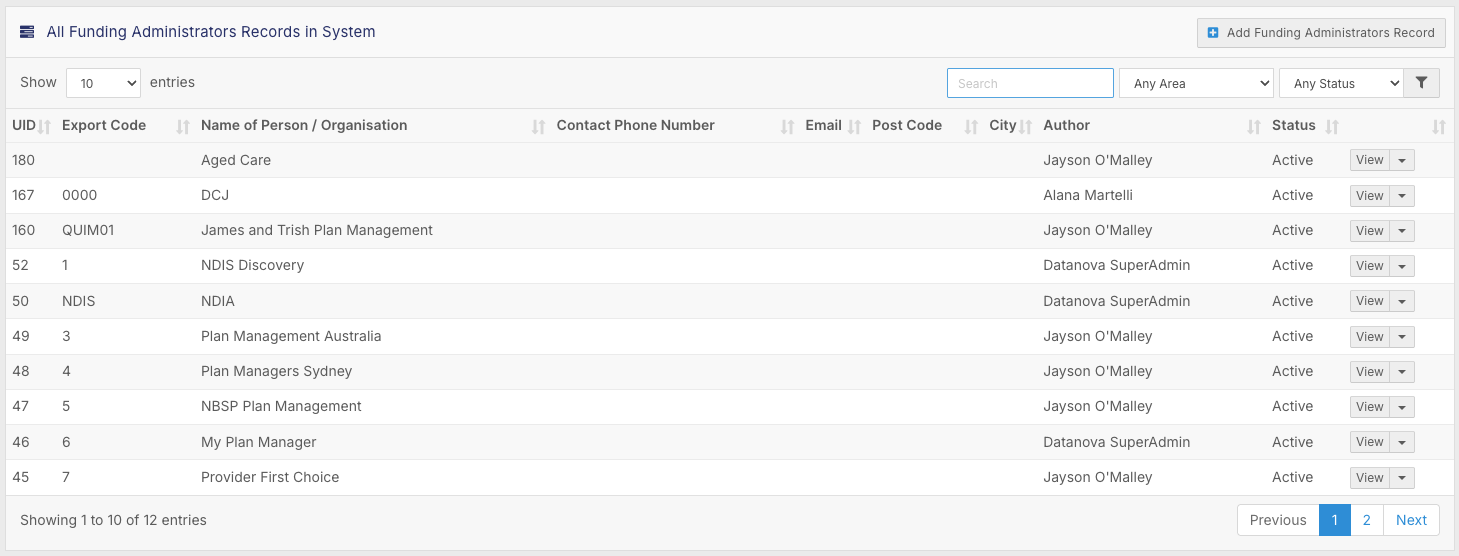
Export Code and Name of Person or Organisation
The export code at the top of each record is used to match funding administrators to the corresponding account in your financial software. If you're syncing invoices via export code or API, this field must be an exact match to what's in your financial package - even a small difference in spelling or formatting can cause syncing issues. If you're not using export codes and are syncing by name instead, it will also need to be an exact match to help the financial software pick the correct account to send the invoices to. 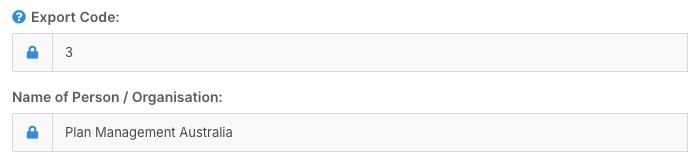
Contact Details
Each record includes fields for phone number, address, email, postcode, and city. Some financial packages use these details to automatically create a new account when invoices are sent through for the first time. If your financial software doesn't require them, you can remove these fields from the form. They can still be useful, however, for staff who need access to those contact details within FlowLogic but don't have access to your financial system.
What Belongs Here
This section isn't limited to plan managers. Any entity that receives invoices through FlowLogic should have an entry here, including the NDIA for reconciliation, aged care, DCJ, and any other funding bodies relevant to your organisation. Once a funding administrator is set up, it becomes available as a dropdown option when creating a funding allocation against a client's record.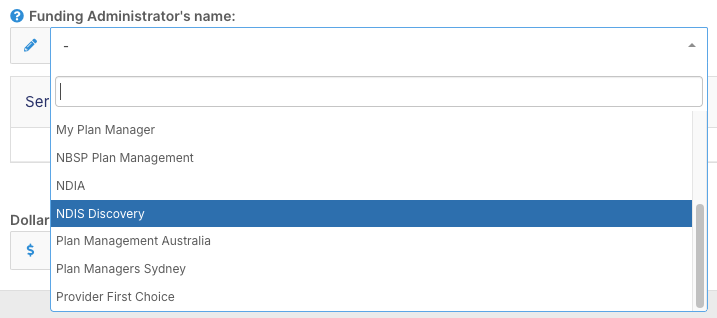
This is why it's important to have your funding administrators configured before building out funding allocations - the list won't be available to select from until the entries exist here.