
Key Points
Choose which columns show in a form's table (list) view in its table config settings: go to System Menu - Forms, click Edit on the form and open the Table Config tab.
You can show, hide and reorder the form's field columns, and add custom fields (for example for a risk assessment tool). Record columns such as author, status, UID and action fields can't be moved or removed.
Click and drag a column to move it, then click Save. Putting your most-used fields at the front lets staff see the most relevant information without opening individual records.
To go back to the original layout, click Restore Default Display Order and save again.
Getting There
Go to System Menu - Forms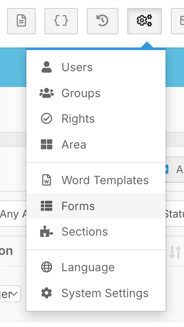
Then find the form you want to update - in this example the Incident/Accident form. Click Edit, then navigate to the Table Config tab.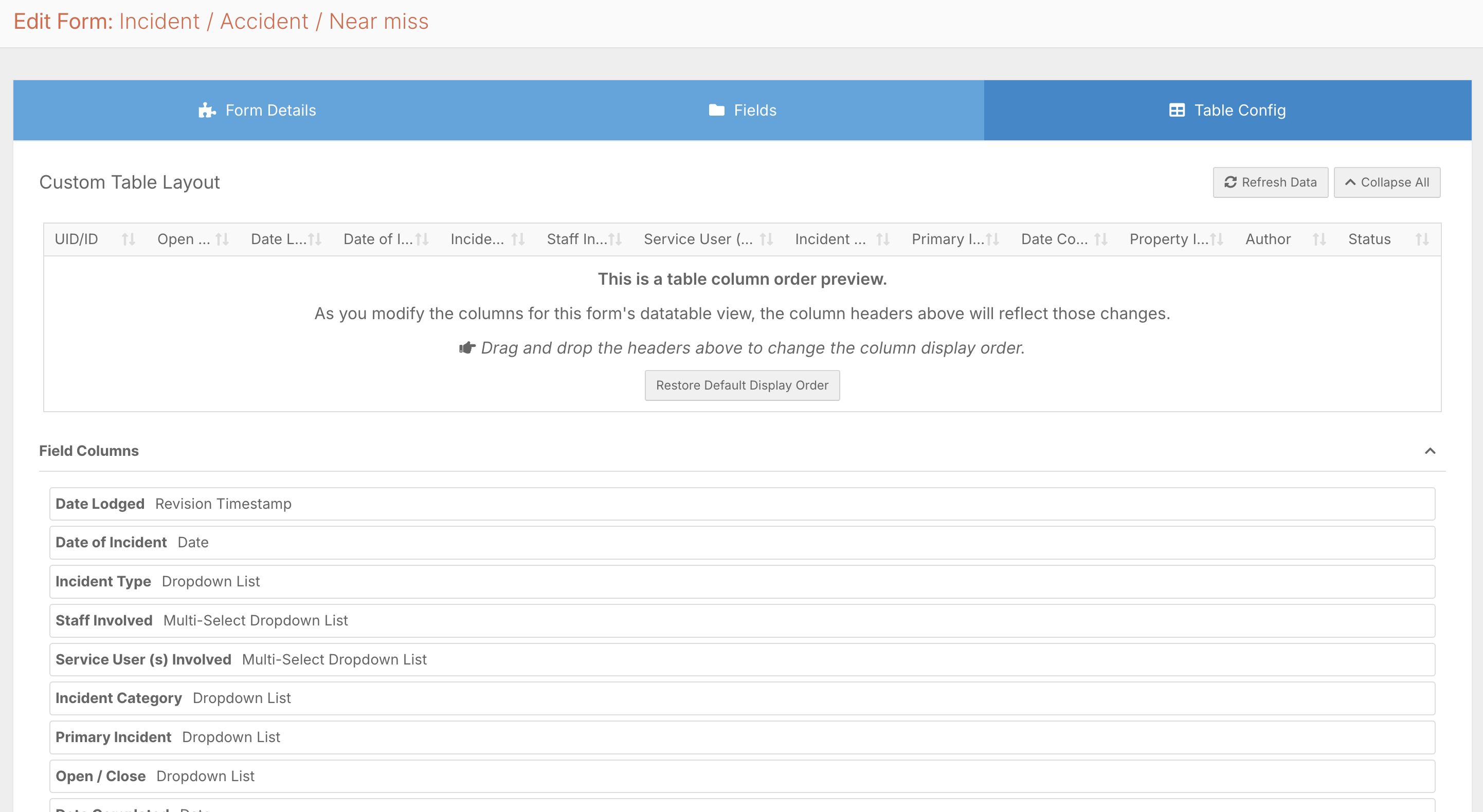
What You Can Configure
The table config screen is broken into a few areas:
- Field columns - the form's fields, which you can show, hide, and reorder
- Custom fields - additional columns you can add, for example, for a risk assessment tool
- Record columns - fixed system columns such as author, status, UID, and action fields that cannot be moved or removed
Rearranging Columns
To move a column, click and drag it to the position you want. For example, dragging the open/closed status to the front means anyone reviewing the list can immediately see whether an incident is open or closed without clicking into the record. Placing your most frequently referenced fields toward the front and less critical ones toward the back keeps the view clean and reduces unnecessary clicks.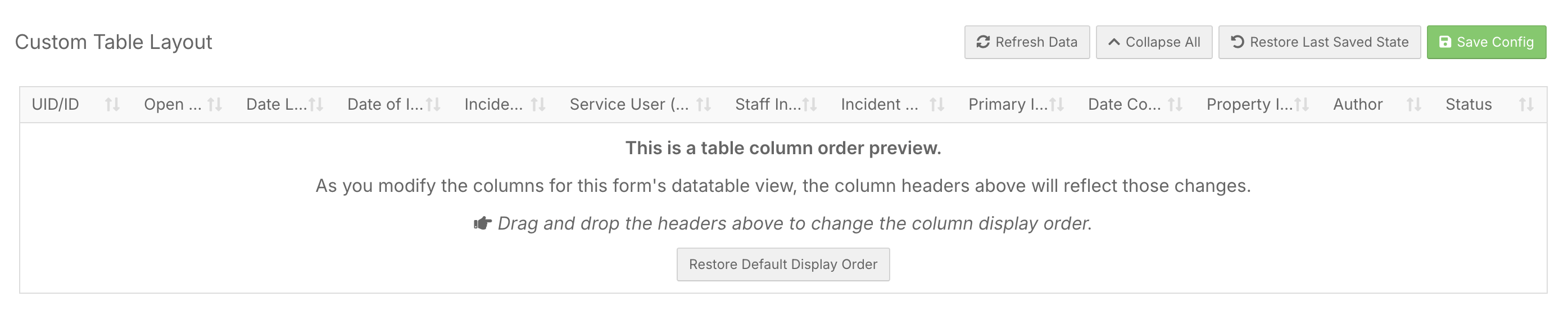
Once you're happy with the layout, click Save.
Restoring the Default
If you want to go back to the original layout at any point, click Restore Default Display Order and save again. This makes it easy to experiment without worrying about losing the original setup.