
Key Points
Funding Exchange is used to export claims to NDIS and Aged Care portals.
Supports both:
- CSV exports (manual upload)
- API exports (automated submission)
Provides full control over:
- Claim selection
- Filtering
- Validation
Includes reconciliation via remittance upload.
What is the Funding Exchange?
The Funding Exchange is the central claiming tool in FlowLogic.
It is used to:
- Export claims to funding bodies
- Review claim data before submission
- Track previously exported claims
This is a critical step in:
- Billing
- Claiming
- Financial reconciliation
How to Access Funding Exchange
To access:
- Go to Finance and Payroll
- Select Funding Exchange
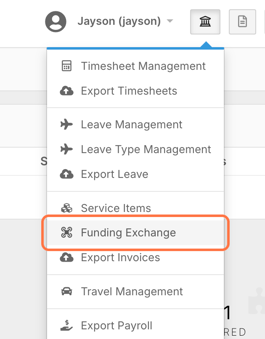
This opens the main claiming interface.
Filtering Claims
Before exporting, you must define your claim set using filters.
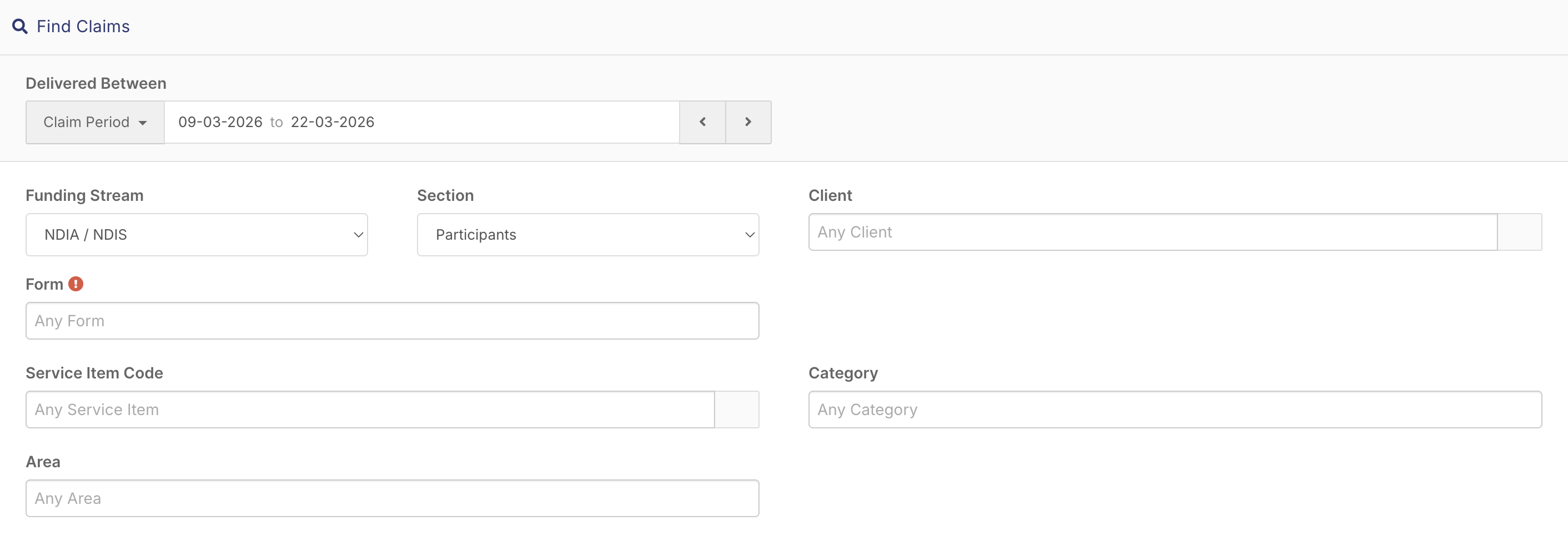
Available Filters:
- Date Filters (Weekly & Fortnightly)
- Custom “Delivery Between"
- Funding Stream
- Sections
- Clients
- Forms
- Service Item Codes
- Categories
- Areas
Filtering ensures:
- Only correct claims are included
- Large datasets are manageable
- Multiple funding streams are separated
Viewing Claim Results
After applying filters and searching:
At the top, you’ll see:
- Number of claims
- Total estimated revenue
- Cancelled Items
- Travel items
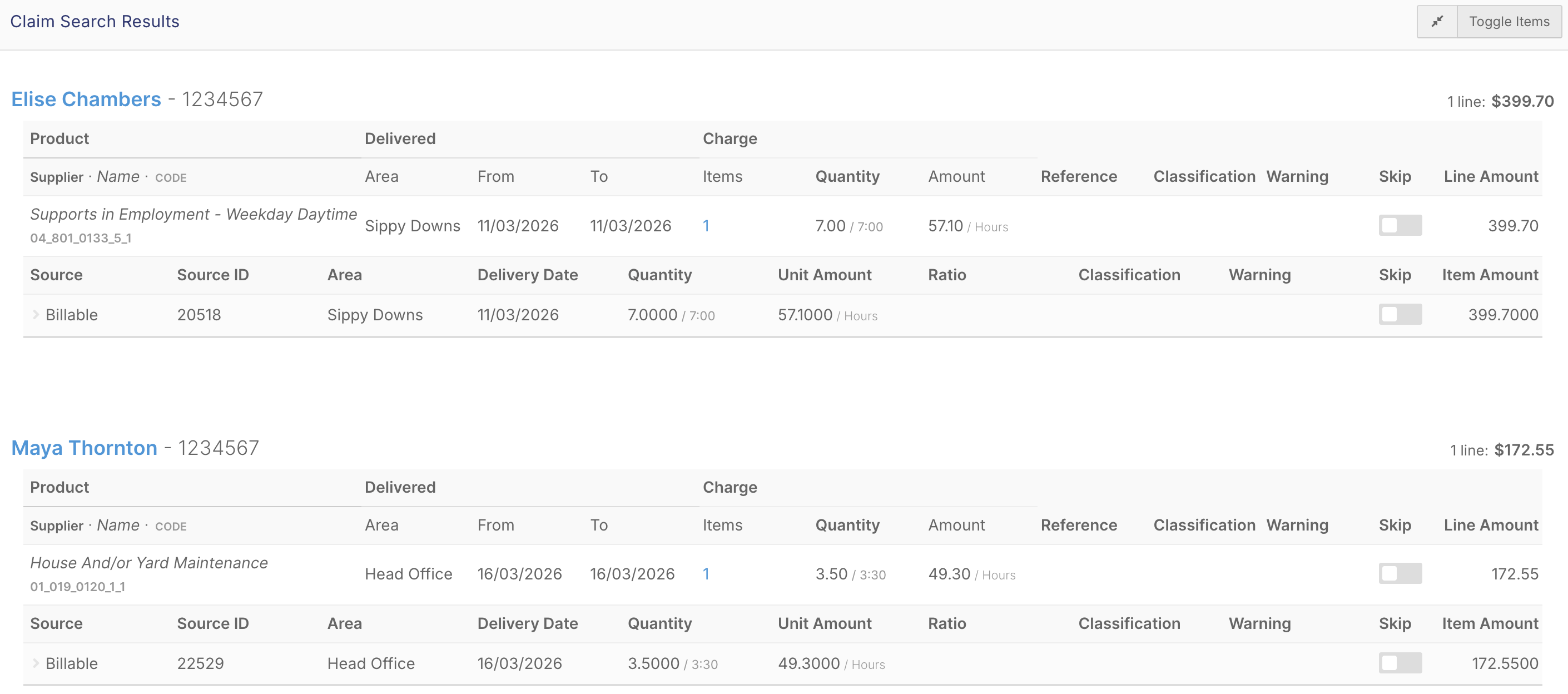
Eligible claims will appear in the results list.
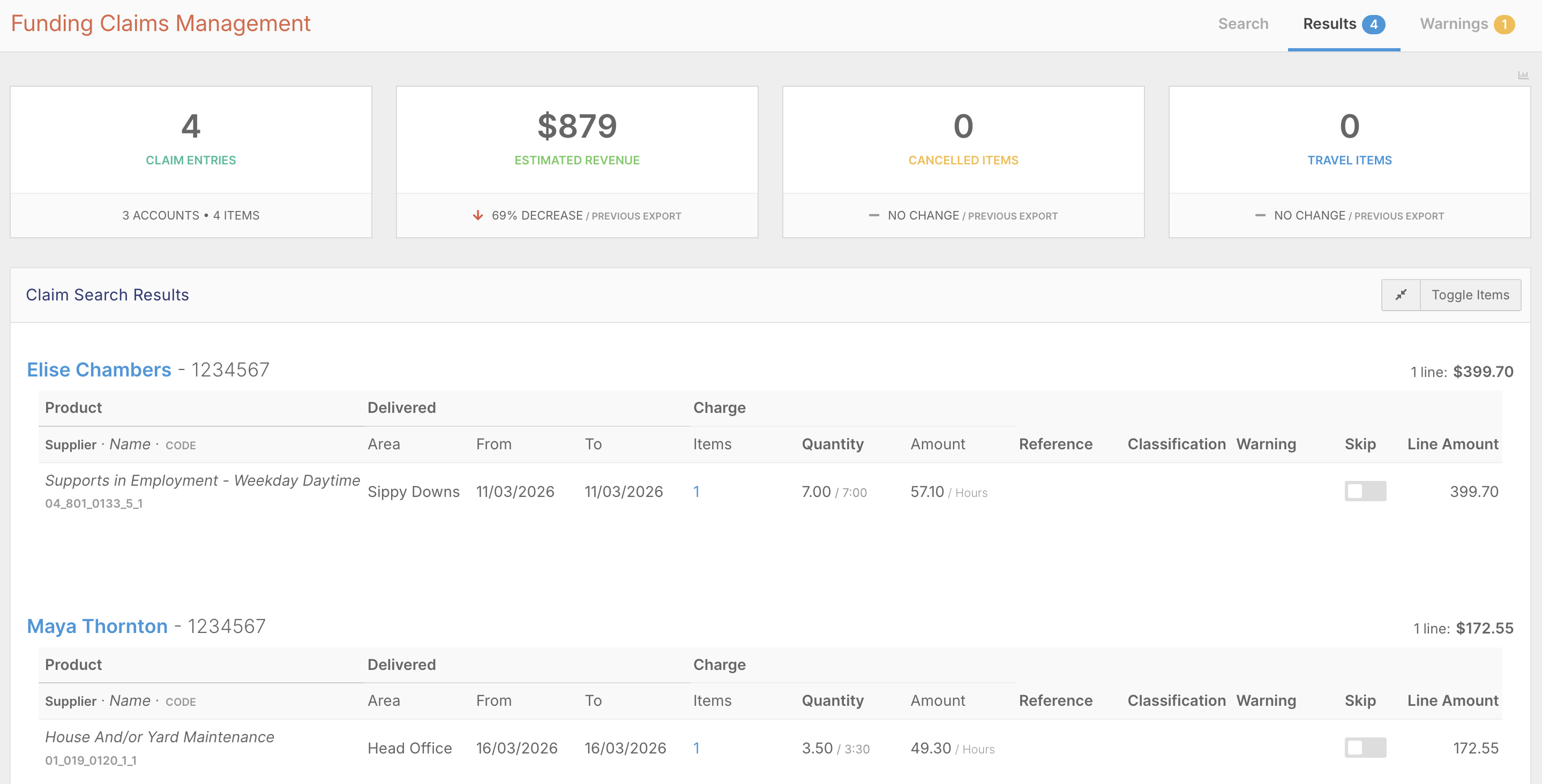
You can view the results in Compact or Expanded view.
Compact view

Expanded view
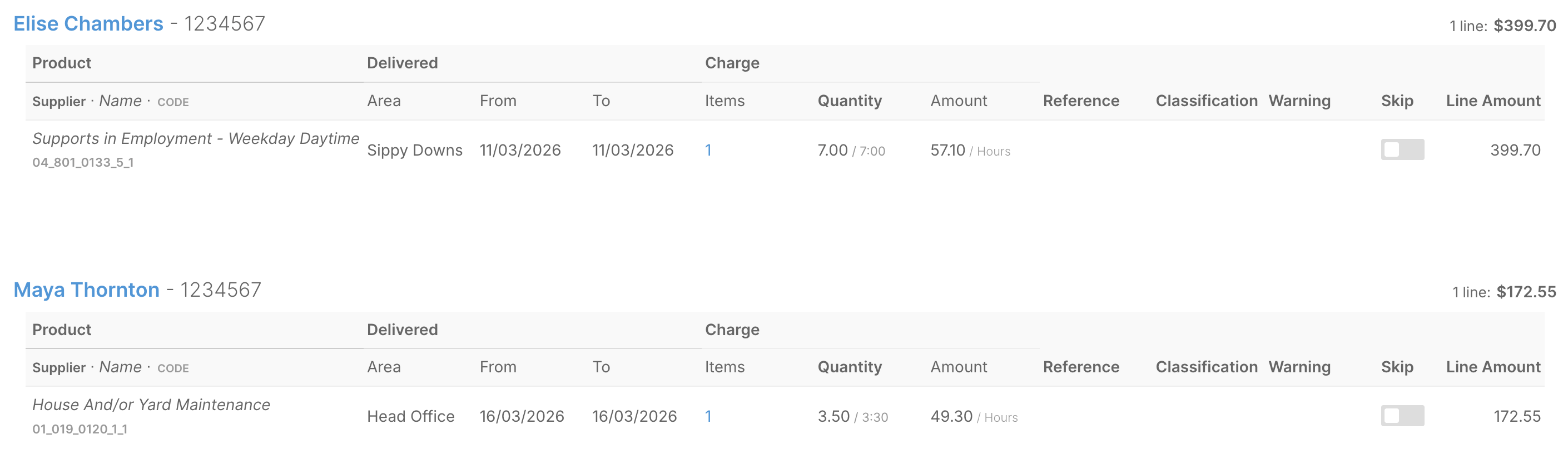
Expanded view shows the full claim detail:
- Service item
- Client or participant
- Delivery dates
- Area
- Quantity
- Rate
- Total amount
Additional Controls
Skip items not ready for export.

FlowLogic automatically:
- Calculates grouped or ratioed items
- Applies the correct averaged rates
- Aligns with NDIS pricing rules
Warnings
Soft Warnings -
- Can often be ignored

Hard Warnings -
- Must be resolved before export

If no claims appear, be sure to check:
-
Shifts are completed
-
Billing is added to shifts
-
Service items exist in funding allocations
-
Allocation dates are valid
Exporting Claims
To export:
- Click Export Accepted Claims

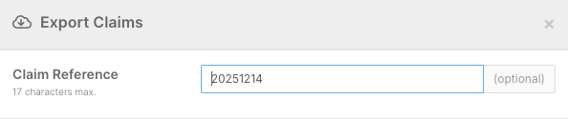
- Enter a Claim Reference
- Confirm export method

Export Methods
CSV Export (Manual)
Downloads a file
Upload to the NDIS or Aged Care portal manually
API Export (PRODA or PACE)
Automatically submits claims
No manual upload required
CSV Workflow
- Upload CSV to the portal
- Download remittance advice
- Upload remittance into FlowLogic
API Workflow
Claims update automatically in FlowLogic
Status reflects portal response
Reconciliation Process
To reconcile claims:
- Download Remittance Advice from portal
- Upload into Funding Exchange
- Review:
Accepted claims
Rejected claims
Adjusted amounts
End-to-End Workflow
Funding Exchange sits within the full process:
- Funding Allocation
- Roster shifts Billing
- Complete shifts
- Export claims (Funding Exchange)
- Reconcile remittance
- Export invoices