
Key Points
Cost Categories define how staff are paid in FlowLogic. They control pay rates, allowances and costing behaviour, and how payroll data is calculated and exported.
Open them from Finance and Payroll > Cost Categories, which takes you to the Cost Manager. Access is permission-based, so a system administrator may need to enable it for you.
Cost Groups organise similar Cost Categories, for example by service or award classification. Cost Categories hold the actual pay rules and settings.
Cost Categories connect to rostering, timesheets, payroll exports and award interpretation, so even small changes can have a large impact across the system.
Set up correctly, they ensure accurate payroll processing, consistent costing and compliance with award rules. Confirm changes with payroll or implementation specialists and avoid editing live configurations without review.
Cost Categories are a core part of how payroll is structured in FlowLogic. They define pay levels, rates, and allowances, and directly influence how staff are paid.
Getting this setup right is essential for:
- Accurate payroll calculations
- Correct award interpretation
- Consistent costing across rostering and timesheets
This section acts as the foundation for all payroll-related processes in the system.
Accessing Cost Categories
To access this area:
- Go to Finance and Payroll
- Select Cost Categories
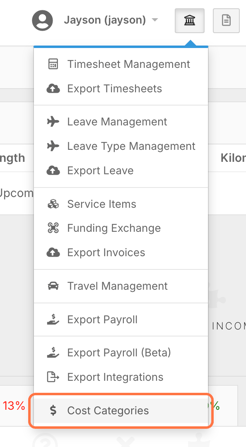
Access is permission-based. If this option is not visible, an administrator can add it, otherwise ask FlowLogic Support.
Rate changes apply straight away. When you save a new rate on a Cost Category, it applies across FlowLogic immediately, including approved timesheets that haven't been exported yet. FlowLogic doesn't change your payroll software, so update the rate there too.
Understanding the Cost Manager
When you enter this section, you will land on the Cost Manager page. This is the central hub for managing all cost-related configurations.
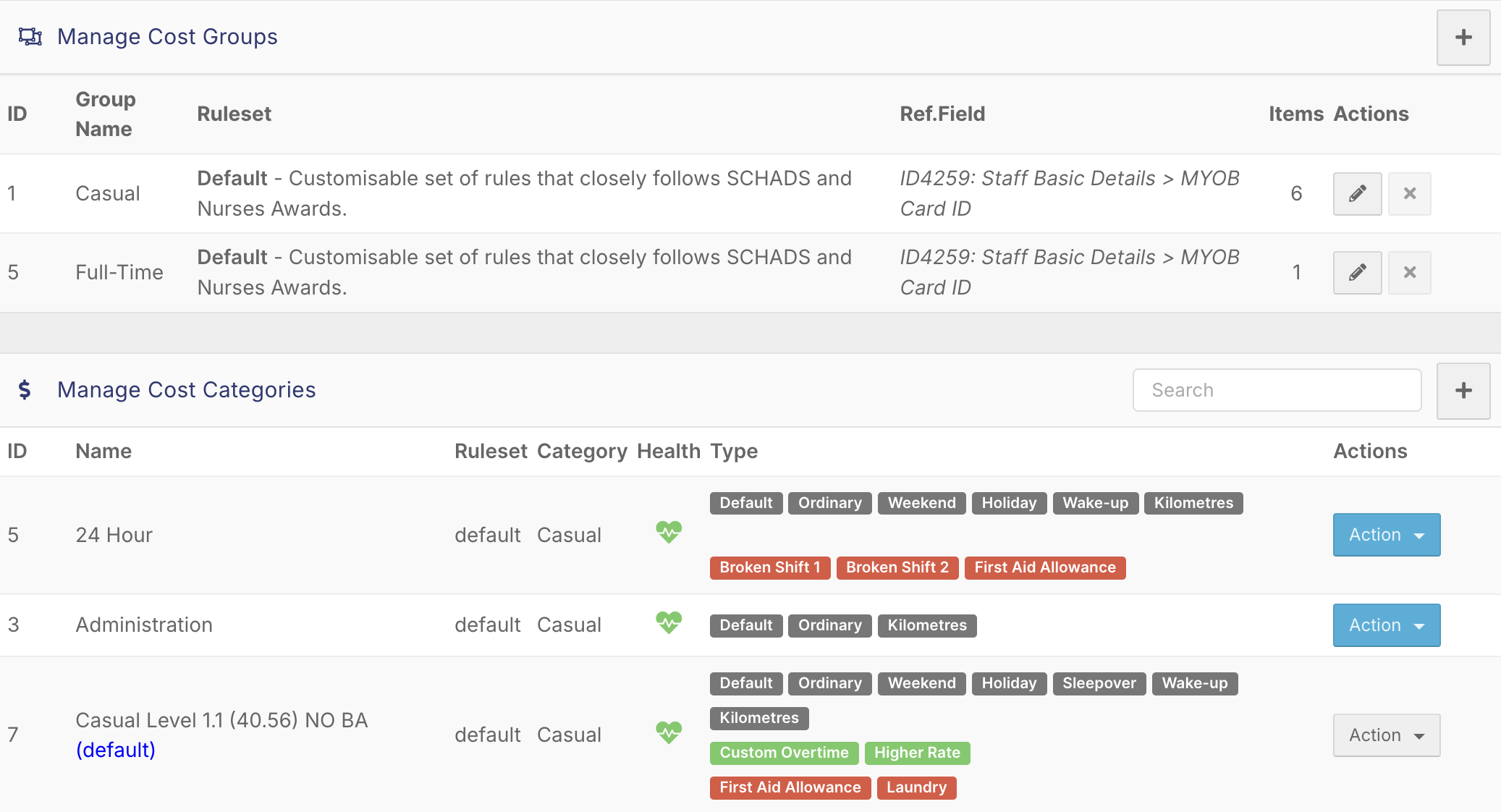
You will see two main components:
- Cost Groups
- Cost Categories
Cost Groups are used to organise categories, while Cost Categories contain the actual pay rules and settings.
Cost Groups
Cost Groups are simply a way to group similar cost categories.
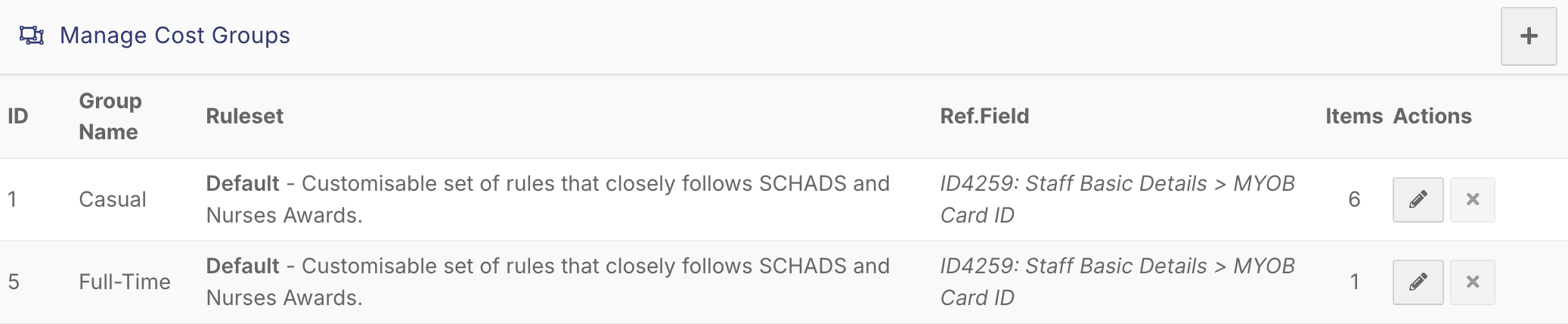
They help:
- Keep your setup organised
- Make it easier to manage multiple pay structures
- Separate different programs or award types
For example, you might have separate groups for different services or award classifications.
Cost Categories
Cost Categories define how staff are paid.
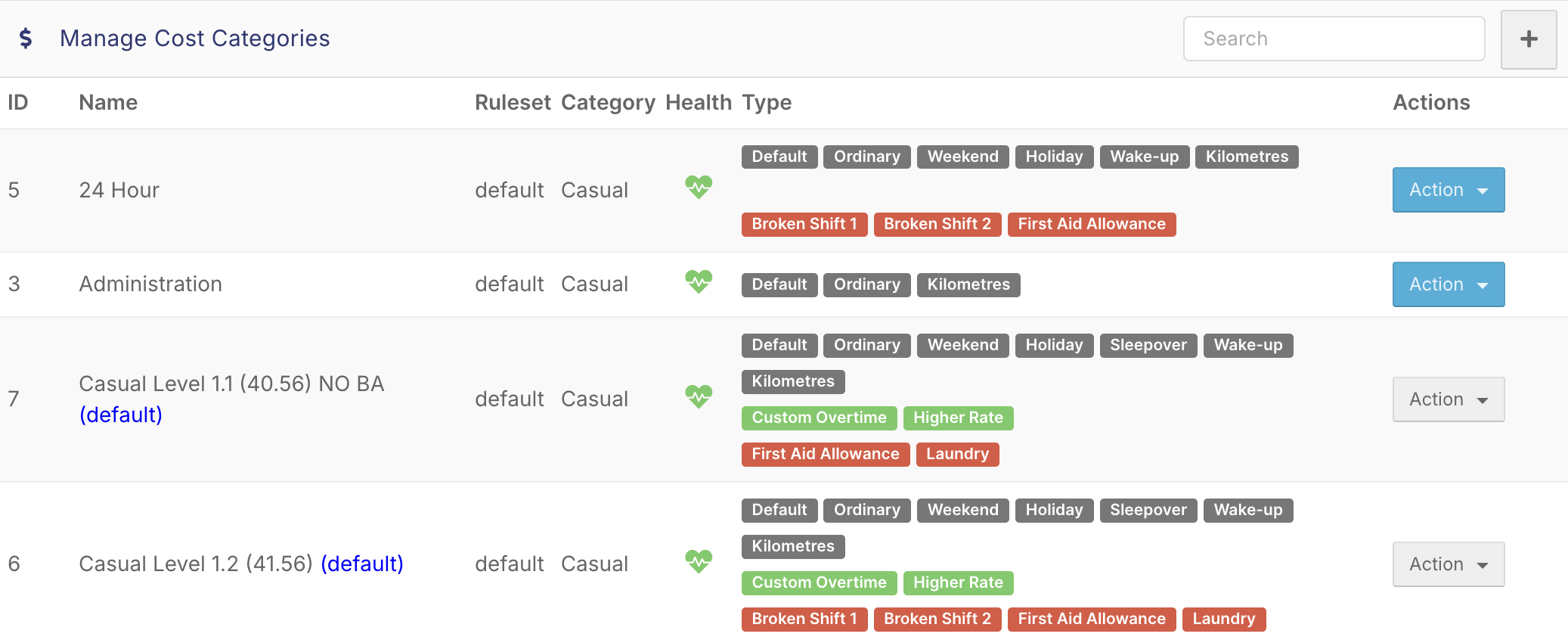
Each category includes:
- A name and ID
- A rule set
- A linked cost group
- A status (active or inactive)
They also control:
- Pay rates
- Allowances
- Costing behaviour
Any changes made here will directly impact payroll outputs.
Managing Cost Categories
From the Cost Manager screen, you can:
- Search for existing categories
- Add new categories
- Create or edit cost groups
- Delete unused configurations
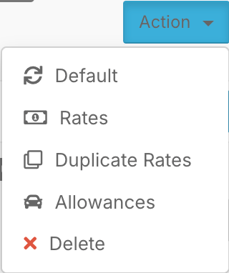
There is also an Actions tab that allows you to:
- Set a default cost category
- Open and review rate structures
- Duplicate existing setups
- Assign allowances
Allowances
Allowances are configured within Cost Categories and are used to apply additional payments.
Examples include:
- Travel allowances
- Meal allowances
- On-call payments
These are linked to specific cost categories to ensure they are applied correctly during payroll processing.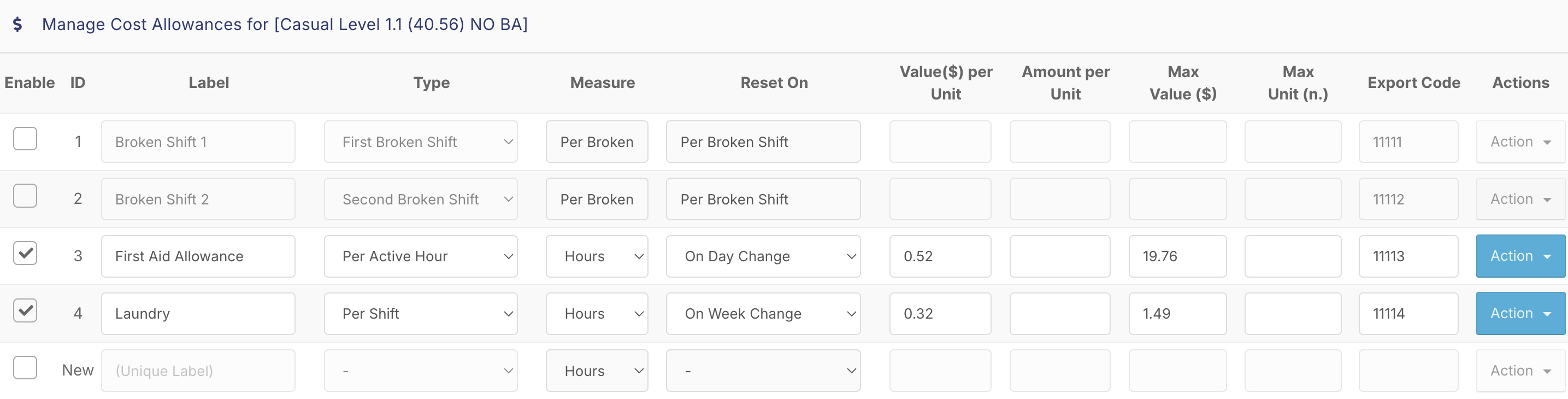
How Cost Categories Impact the System
Cost Categories connect directly to multiple areas of FlowLogic:
- Rostering (costing of shifts)
- Timesheets (pay calculation)
- Payroll exports
- Award interpretation
Because of this, even small changes can have a large impact across the system.
Important Considerations
Cost Categories are a complex configuration area and should be managed carefully.
It is recommended to:
- Only make changes with proper understanding
- Confirm setups with payroll or implementation specialists
- Avoid editing live configurations without review
There are also system-level settings linked to Cost Categories, such as payroll integrations and award rules, which should be considered before making updates.
Best Practices
- Keep categories clearly named and organised
- Use groups to structure different pay types
- Regularly review allowances and rates
- Avoid deleting categories that are in use
- Test changes before applying them broadly