
Key Points
Record affinities ensure staff are only rostered with clients when specific requirements are met.
Affinity rules are based on client needs and staff skills or qualifications.
When a client is added to a shift, the system checks whether the assigned staff meet the required criteria.
Affinity indicators appear within the shift details screen to highlight requirements.
Some affinities are mandatory, while others may be optional.
Affinity rules must be configured within Record Management and are not enabled by default.
What Are Record Affinities?
Record affinities are rules that control which staff members can work with certain clients.
They are typically used to ensure staff have the correct:
Training
Qualifications
Certifications
Skills
These rules help organisations maintain safe and compliant service delivery by ensuring that staff meet the requirements needed to support specific clients.
Where Affinity Requirements Come From
Record affinities are built using information stored in client and staff profiles.
They are configured within the record management menu under record affinities.
Client Requirements
Within the client profile, under the Health tab, there may be a form that lists the client’s needs.
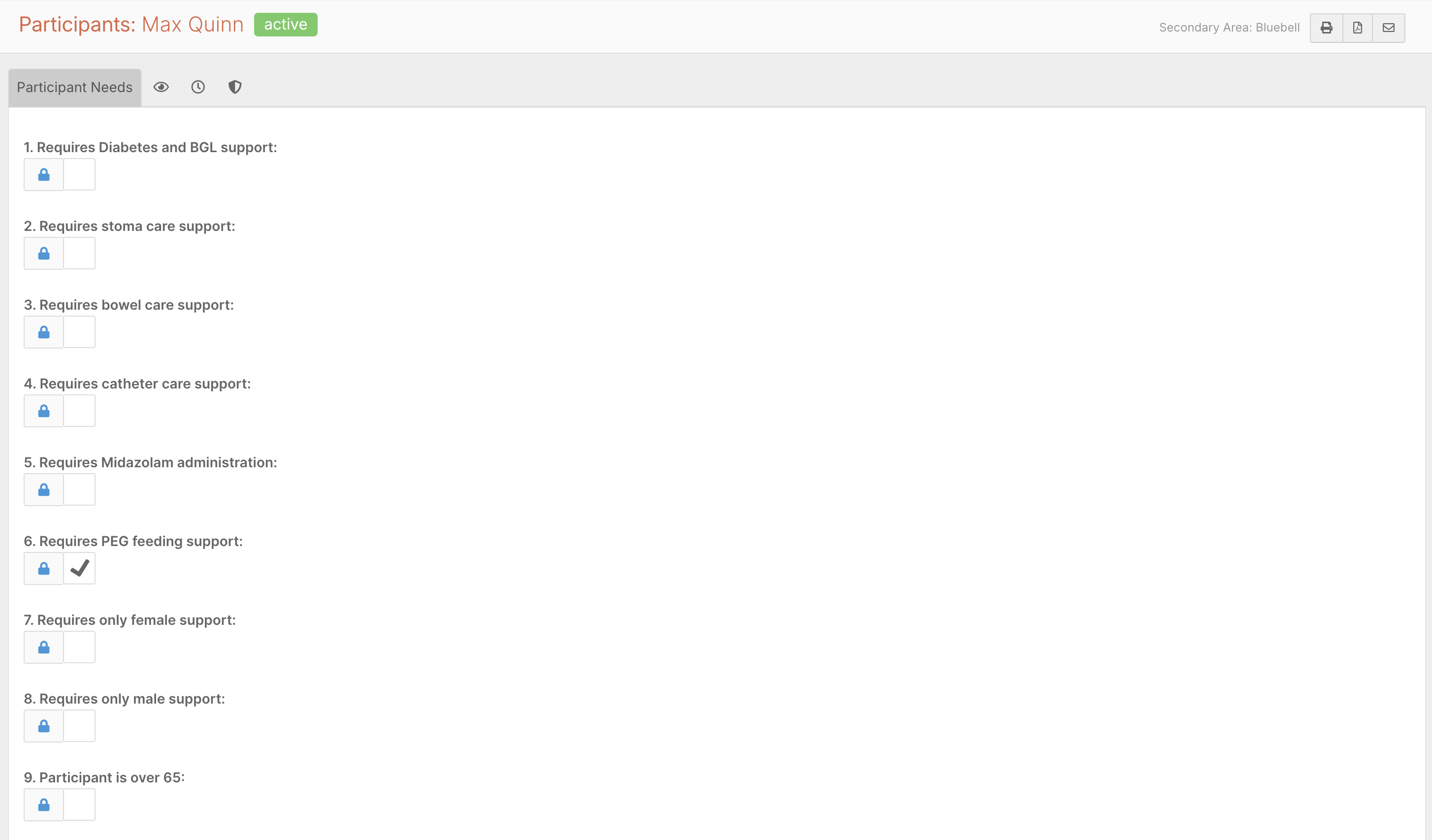
This form usually contains a checklist of requirements, such as:
Medical training requirements
Behavioural support needs
Specialised care skills
These fields can be customised depending on the organisation’s setup.
Staff Skills and Qualifications
Staff profiles contain a matching checklist that records staff qualifications and capabilities.
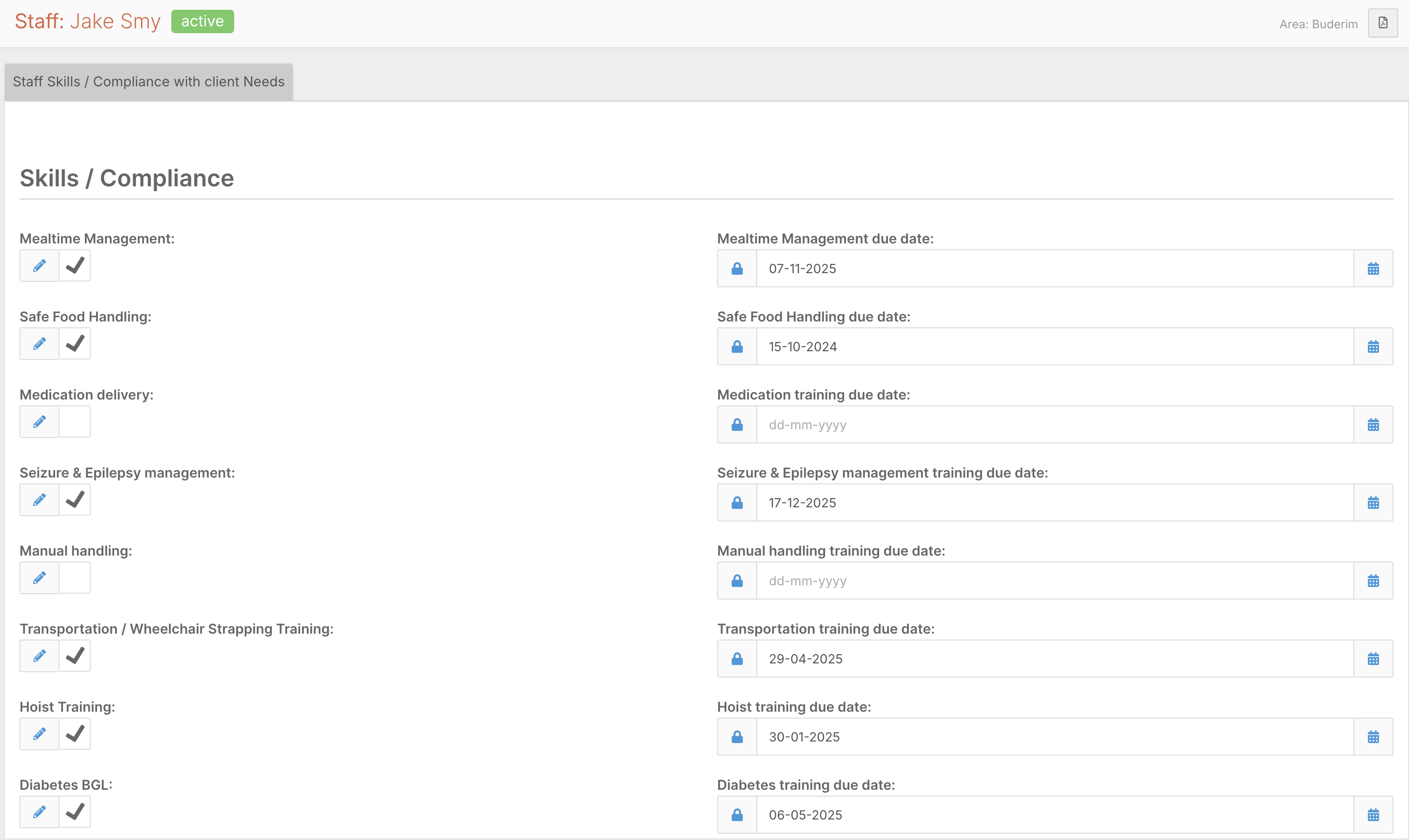
Examples include:
First Aid certification
Diabetes training
Medication administration training
Other specialised skills
These staff skills are compared against client requirements when creating shifts.
How Record Affinities Appear in the Roster
Record affinities become visible when assigning staff to shifts.

For example:
When a shift is created for a client, the system checks whether the assigned staff member meets the client’s requirements.
If the client has no required criteria, no affinity indicators will appear.
However, if the client has specific requirements, the system will display a record affinity indicator next to the client’s name within the shift details.
Viewing Affinity Requirements
If a record affinity symbol appears next to a client in the shift details, you can click the icon to view the Affinity Results page.
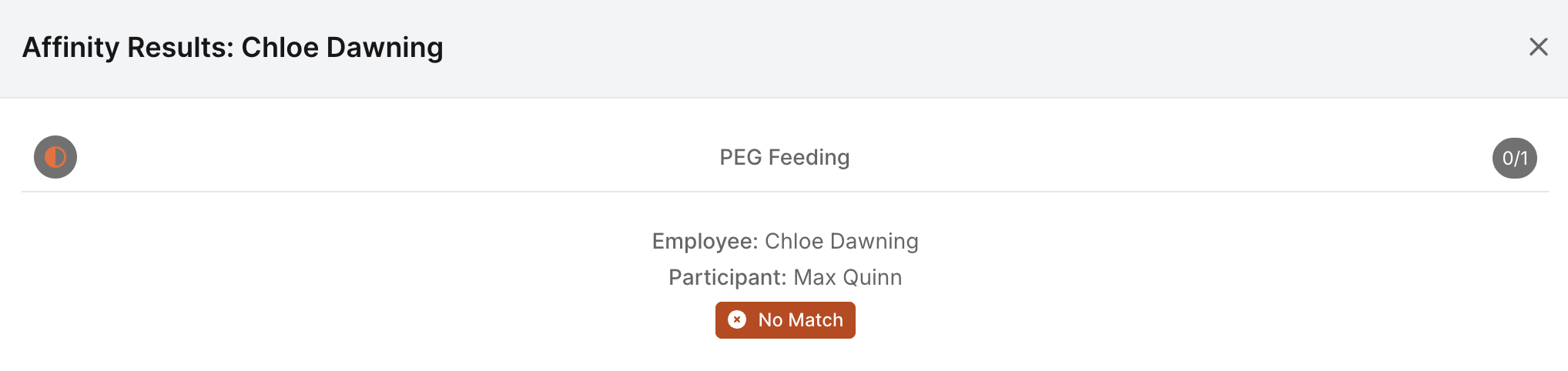
This page displays:
The client’s required criteria
The staff member’s matching skills
Any missing qualifications
For example, a client may require:
Diabetes training
First Aid certification
If the assigned staff member does not hold these qualifications, the affinity results will highlight the mismatch.
Finding Suitable Staff
If a staff member does not meet the required criteria, the shift should be reassigned to a suitable staff member.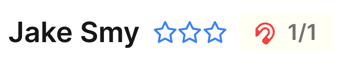
When searching for alternative staff, the system will indicate whether each person meets the required affinity rules.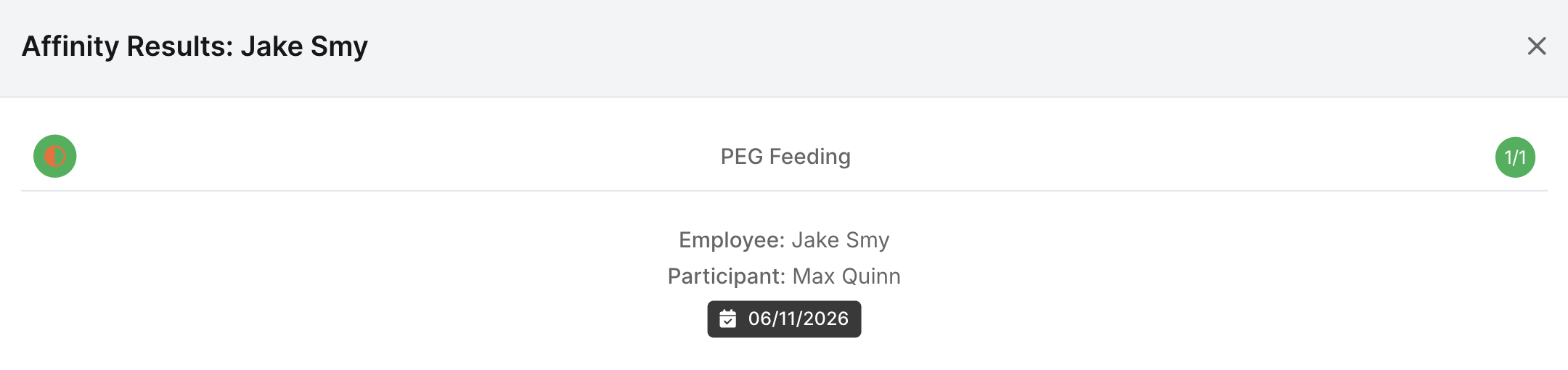
This helps managers quickly identify staff who are qualified to work with that client.
Mandatory vs Optional Affinities
Record affinities can be configured as either:
Mandatory
Optional
Mandatory Affinities
Mandatory affinities must be satisfied before rostering the staff member.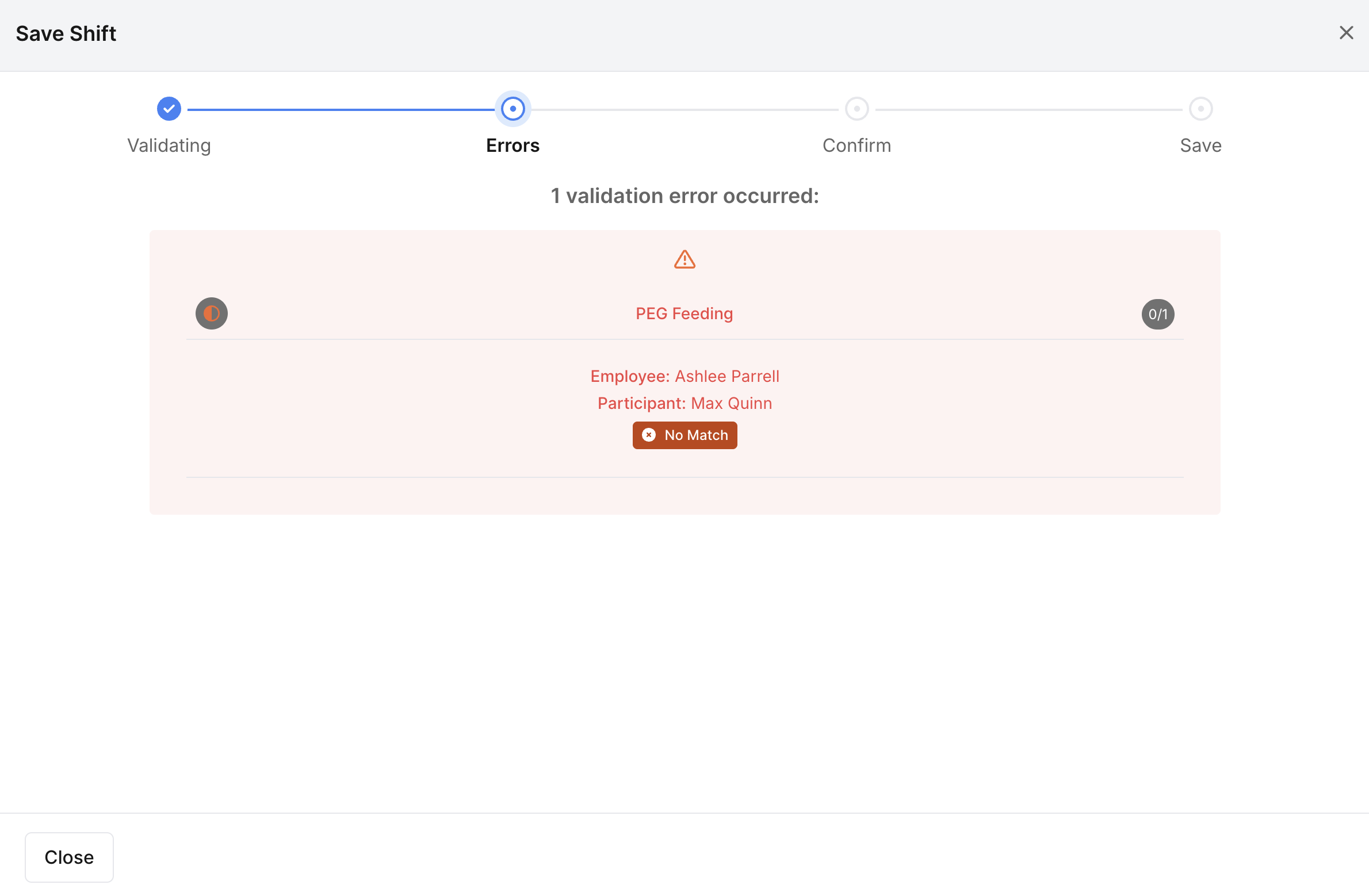
If requirements are not met, the shift should be reassigned.
Optional Affinities
Optional affinities provide guidance but do not block rostering.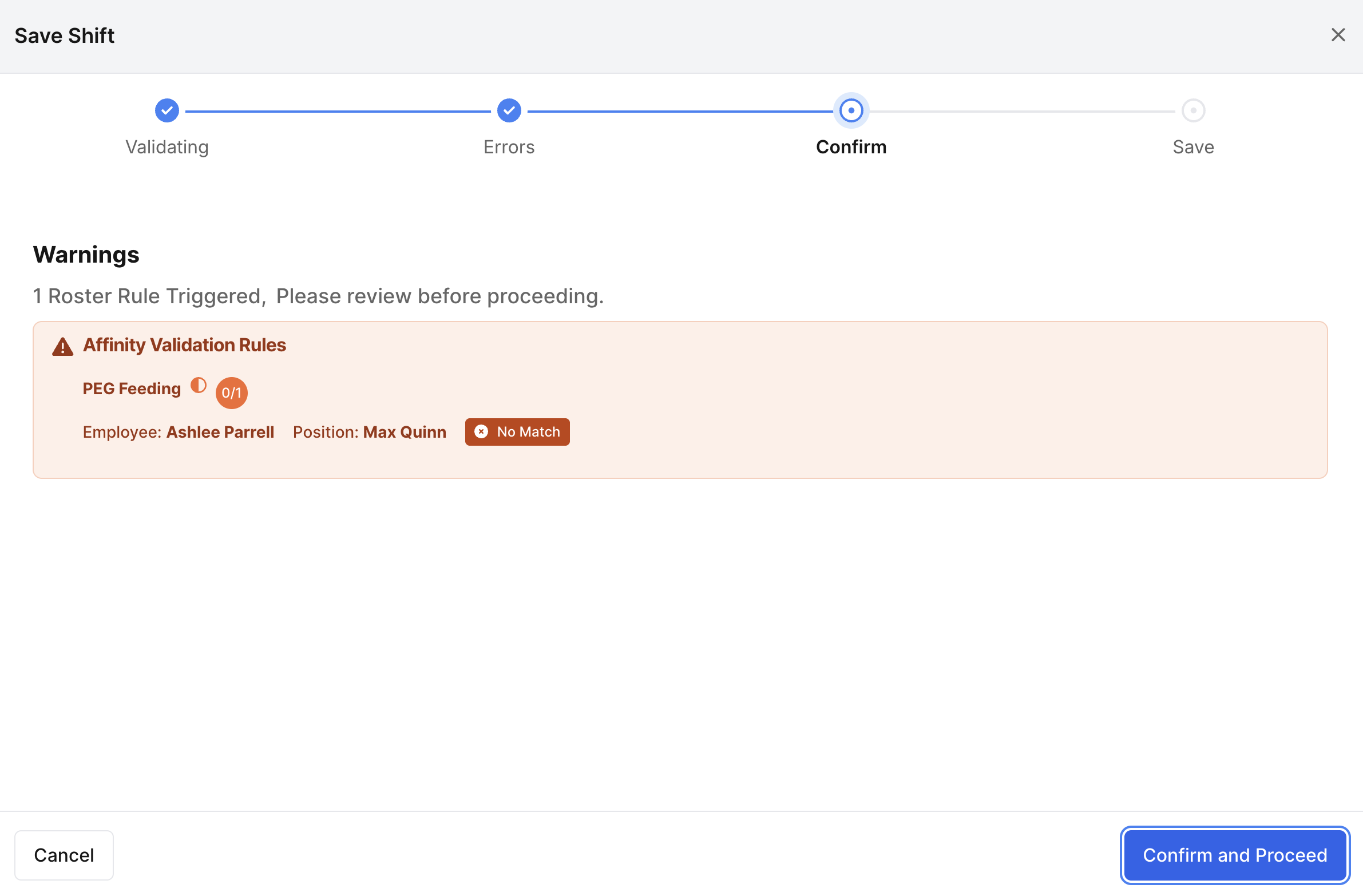
These may highlight preferred skills or training while allowing flexibility in staffing.
Configuring Record Affinities
Record affinity rules are configured within Record Management.
For more information on Configuring Record Affinities, click here
These rules are not automatically set up in FlowLogic and must be created manually.
Administrators can configure affinity rules to link:
Client requirements
Staff skills or qualifications
Once configured, these rules automatically apply to the roster.
A separate configuration process is typically required to establish these rules.
Managing Affinity Issues
If affinity rules appear incorrect or missing, you may need to:
Contact your system administrator
Update staff qualification records
Update client requirement checklists
Review the affinity configuration rules
Users with sufficient permissions may also be able to modify these settings directly within the system.
Best Practice Recommendations
✔ Maintain accurate staff qualification records
✔ Keep client requirement forms up to date
✔ Review affinity indicators when creating shifts
✔ Ensure mandatory requirements are satisfied before rostering staff
✔ Regularly review affinity rules in Record Management