
Key Points
To make a field read-only, go to System Menu - Forms, edit the Form, edit the field on the Fields tab, open the Advanced tab and choose an option in the Read Only setting.
There are four options: No (always editable), Yes (always read-only), Read Only on Creation (locked while a new record is first being created) and Read Only on Edit (can be filled in at creation, then locked once the record has been saved).
Save the field and save the Form - the change takes effect immediately.
The setting can be applied to any field type across any Form in FlowLogic.
Read-only field settings let you control whether a field can be edited, and at what point it becomes locked. This is useful for protecting data that should remain unchanged after it's been entered - for example, a Date Lodged field that auto-fills on creation, or a Person Completing the Report field that should be locked once a record has been submitted. This setting can be applied to any field type across any form in FlowLogic.
The Four Options
Navigate to System Menu - Forms, find the form you want to update, and click Edit. Go to the Fields tab, find the relevant field, and click Edit. Then open the Advanced tab in the top-left corner. 
On the right-hand side, you'll find the Read Only setting with four options:
No - the field is fully editable at all times.
Yes - the field is always read-only and can never be edited by anyone.
Read Only on Creation - the field is locked when a new record is first being created. Use this for fields that should never be filled in manually at the point of creation, such as auto-populated system fields.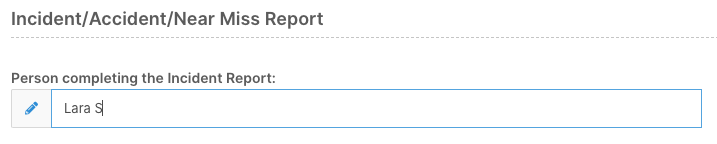
Read Only on Edit - the field can be filled in when a record is first created, but becomes locked the moment someone tries to edit it afterwards. Use this for fields like the person who completed a form, where the original entry should be preserved but editable at the time of submission.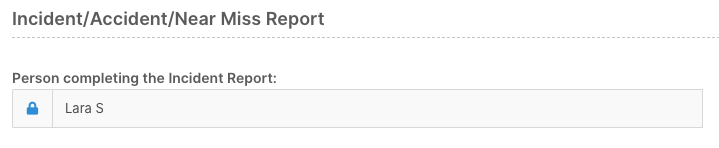
The distinction between the last two can be easy to mix up. Think of it this way - Read Only on Creation locks the field before the record exists, and Read Only on Edit locks it after the record has been saved for the first time.
Applying the Setting
Select the appropriate option, save the field, and save the form. The change takes effect immediately. Once a field is locked under Read Only on Edit, it will remain locked on existing records until the form settings are changed again.