
Key Points
A virtual form is a copy of an existing form that automatically appears in a staff member's or client's profile when a record is linked to them.
When a staff member or client is referenced in a record (such as an Incident, Accident or Near Miss), the same record shows in both the main form section and their profile. No duplicate data entry is needed.
This means you can see everything related to a person from their profile, rather than searching or filtering through the full form list.
The Incident, Accident, Near Miss form is the most common example, but virtual forms can be applied to a range of other forms depending on your organisation's needs.
A virtual form is a copy of an existing form that automatically appears within a staff member's or client's profile when a record is linked to them. Rather than creating separate forms for each person, the same record shows up in both the main form section and the relevant profile - keeping information consistent and easy to find.
How It Works
When a record is created in a form - such as an Incident, Accident or Near Miss - and a staff member or client is referenced in that record, the virtual form places a copy of that entry directly into their profile. No duplicate data entry is required. The record is the same in both places.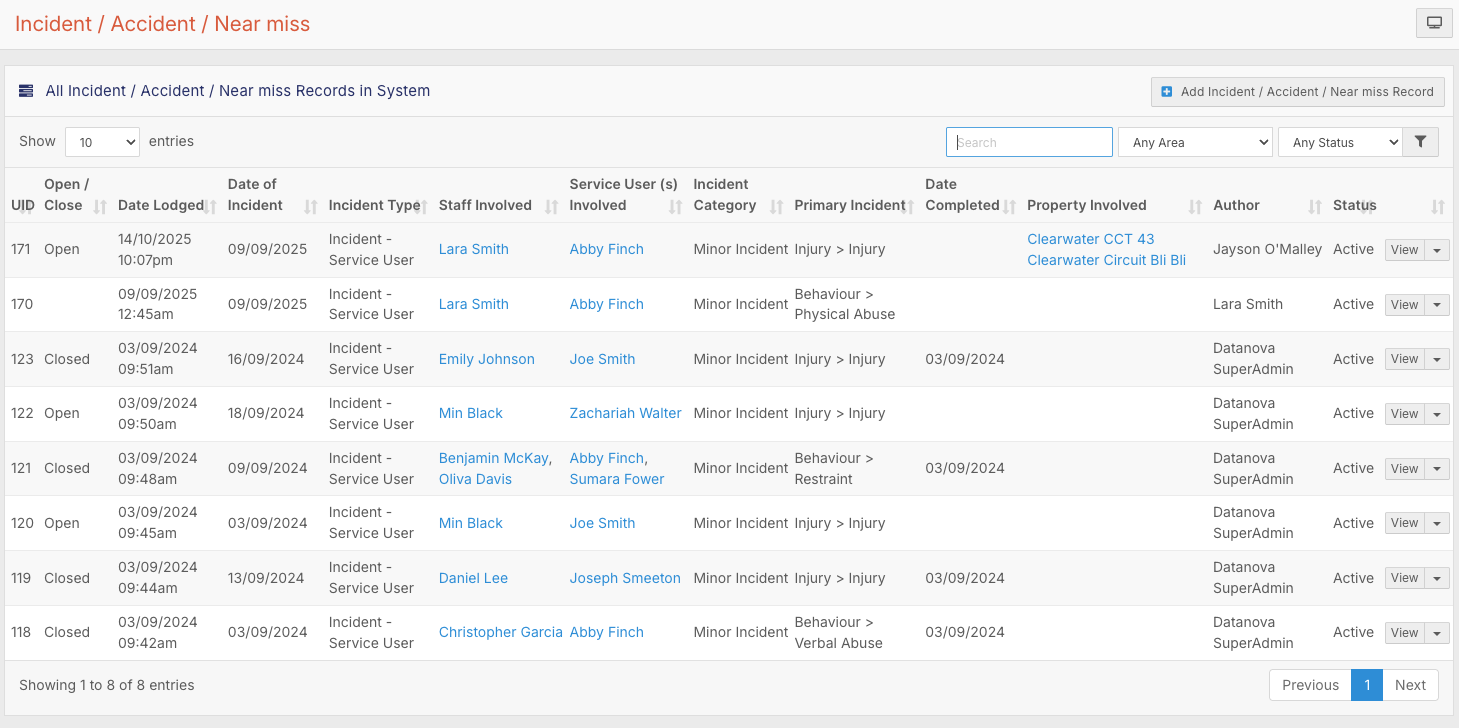
For example, if an incident is lodged involving staff member Lara Smith, that same record will appear under Lara's profile in her Confidential tab. Rather than filtering through the entire incident list to find records related to her, you can go directly to her profile and see only what's relevant to her.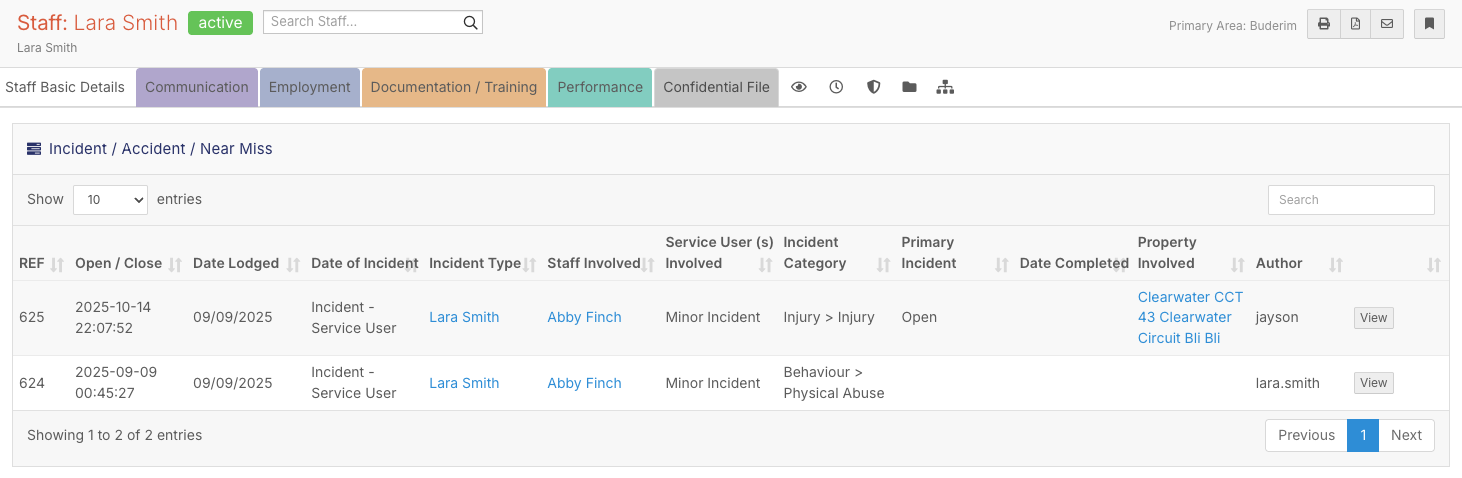
Why It's Useful
Without virtual forms, finding all incidents or records for a specific person means searching or filtering through the full form list. With virtual forms in place, everything related to that person is accessible directly from their profile, saving time and reducing the chance of missing something.
The Incident, Accident, Near Miss form is the most common example, but virtual forms can be applied across a range of other forms in FlowLogic depending on your organisation's needs.