Key Points
The SMS Gateway is an optional feature that lets you send SMS messages to client and staff contact numbers stored in FlowLogic.
FlowLogic integrates with MessageMedia and ClickSend.
To set it up, give FlowLogic Support your API Secret and Key, or API Account and Key. If you don't know where to find these, contact FlowLogic Support or your SMS service provider.
FlowLogic Support will let you know when the feature is activated. You'll then see a small SMS button, mainly in the Roster, Message box and record creation.
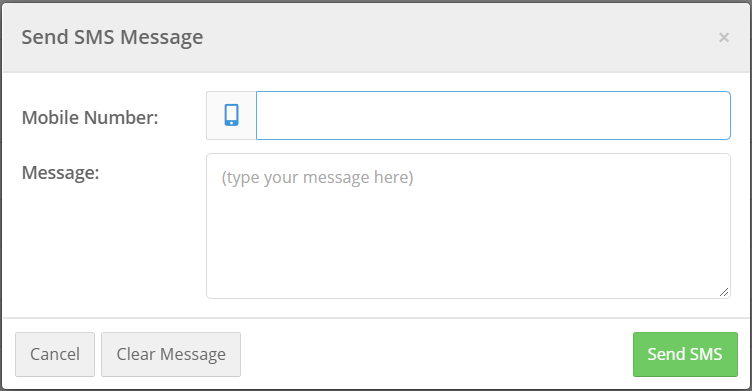
Select SMS to type the number you want to send to and your message.
The SMS Gateway feature is an optional feature within the FlowLogic system which allows for SMS messages to be forwarded from various sections of the system. Once setup it enables the user to forward SMS messages to Client and staff contact numbers stored within the system.
Flowlogic integrates with MessageMedia and ClickSend
Connecting your SMS provider
To integrate your SMS gateway, we require the API Secret and Key or API Account and Key. If you don’t know where or how to locate this information, please contact FlowLogic Support or your SMS service provider for further information on where these are stored.
Using the SMS button
Once you have provided this information, FlowLogic Support will let you know when the feature is fully activated. Following activation you will see additional functionality within the system presented in the form of a small "SMS" button.

This button is presented mainly within the Roster, Message box and record creation, however additional functionality can be provided for this feature so please contact FlowLogic Support to make the most of this feature.
When selected the below view will be presented allowing you to type out the number you're wishing to SMS as well as the message you're wanting to forward out.