
Key Points
Primary Records lists all primary records - the records in the first record table when you select a Section. All Records works the same way but also includes secondary records, with filters for section, area, status and deletion status.
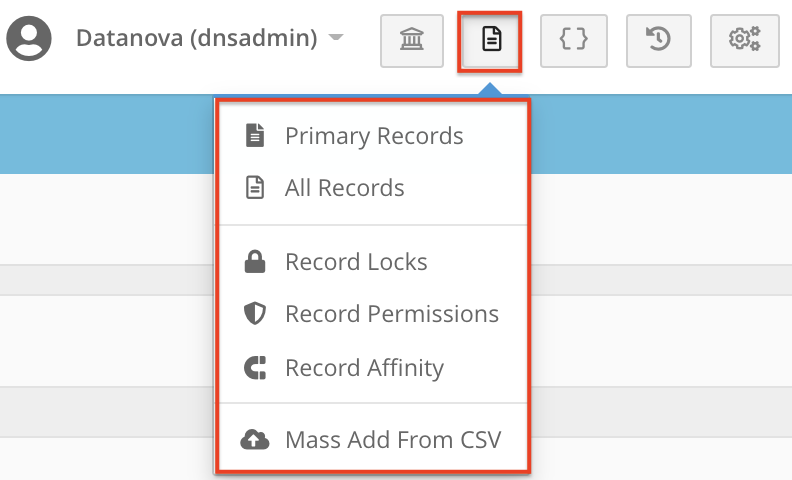
To open Primary/All Record Management, go to the Record Management setting in the top right, next to the logs and system menu. You can search the entire system by record title or UID / SID.
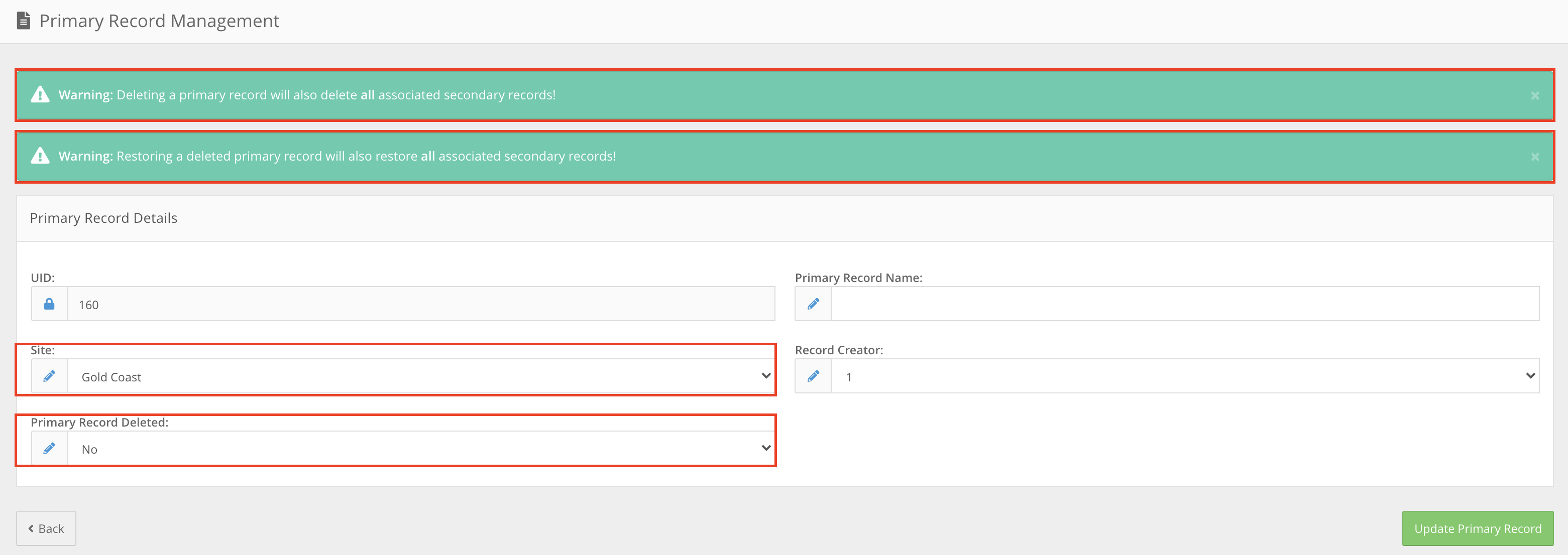
In Primary Records you can edit the Record Name, Site, Record Creator and deletion status. Marking a primary record as deleted also marks all its secondary records as deleted.
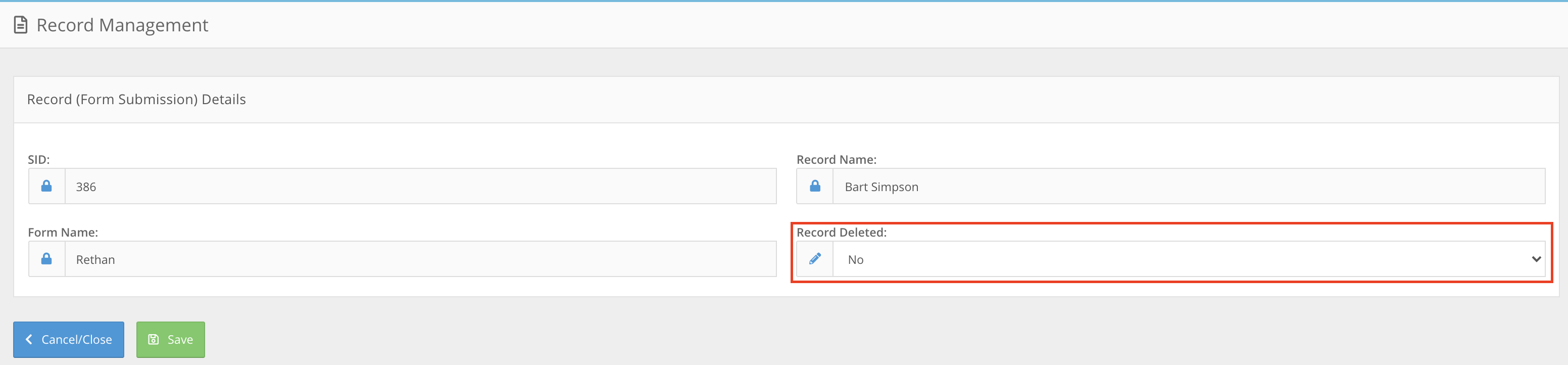
In All Records, the only editable option is the deletion status, as all other details are controlled by the primary record.
Records marked as deleted no longer appear in the system, but you can revert this in record management. It is the best place to check a record you can't find in any record table.
Finding Primary and All Records
To find Primary/All Record Management, open the Record Management setting in the top right, next to the logs and System Menu.
Primary/All Record Management will allow you to quickly search the entire system for records, by searching for the record title or UID / SID.
Primary Records
The primary records section will allow you to browse all primary records in the system, this will be all records in the first record table when selecting a section in the main menu. There are several filters available which will allow you to filter to records only in a specific section, status or deletion status.
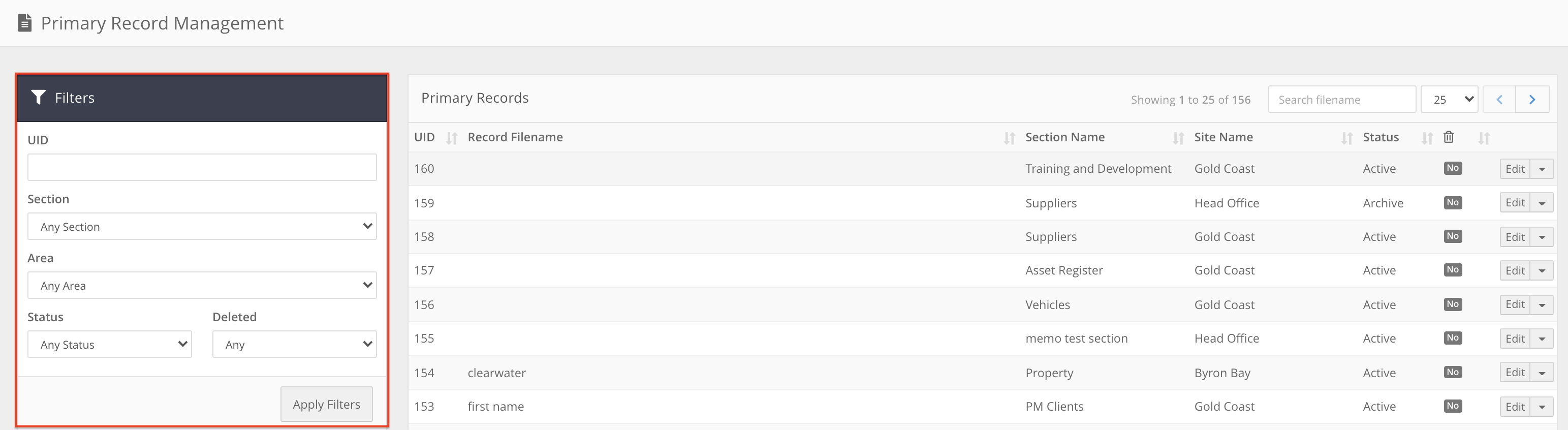
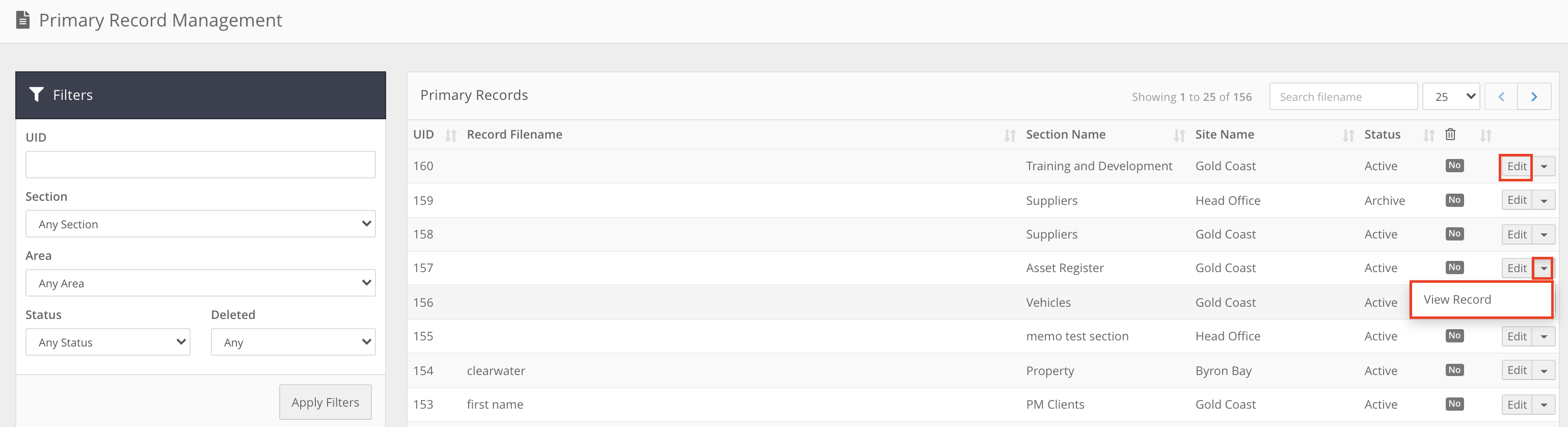
From there you are able to either ‘edit’ or use the dropdown to view the record.
If you try to view a record and can't, you may have been set to 'deny' in the record's permissions. See How do I give or block a user's access to a single record? You may also not have access to the Area the record is stored in. You can check this by selecting edit.
When ‘editing’ the record file, you will be able to view some of the key pieces of information: Record Name; Site; Record Creator and the deletion status. All of which can be changed from here:
Any Primary record marked as deleted will also mark all secondary records as deleted as well.
All Records
While similar to the Primary Records section, you are able to filter to particular sections; areas; status and deletion status. You are also able to search for secondary records as well.
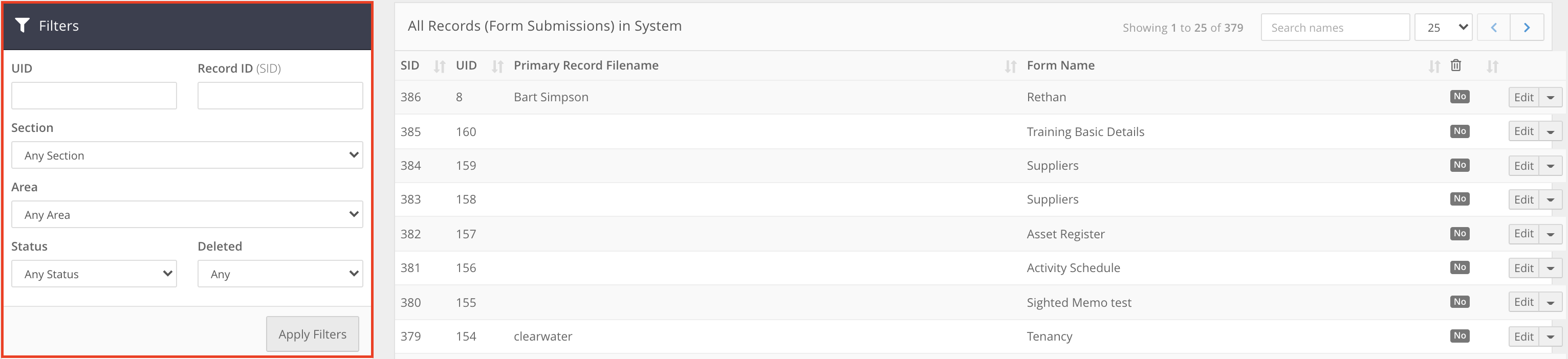
There is more limited functionality here as well, with the only editable option being the deletion status. This is because all other details are directly controlled by the primary record.
This is the best place to check a record if you are unable to find it in any of the record tables.
Any record marked as deleted, will no longer appear in the system. However you can always revert this here in record management.