
Key Points
A funding claim form needs the Funding and Claim tags, plus mandatory fields set up with the right field types and system tags.
The mandatory fields are Service Delivery Date (or Start Date), Service Item, Unit Amount, Quantity, Claim Total and Claim Directly. Field labels can be adjusted to suit your needs.
Optional fields such as Service Delivery End Date, Client No-show, Funding Allocation Record Identifier, Service Classification (NDIS only) and Supplier are used if configured correctly.
If you use the Supplier field, the Suppliers section must be set up correctly, and suppliers must be primary records.
Don't edit or alter existing claim forms without first checking with FlowLogic Support.
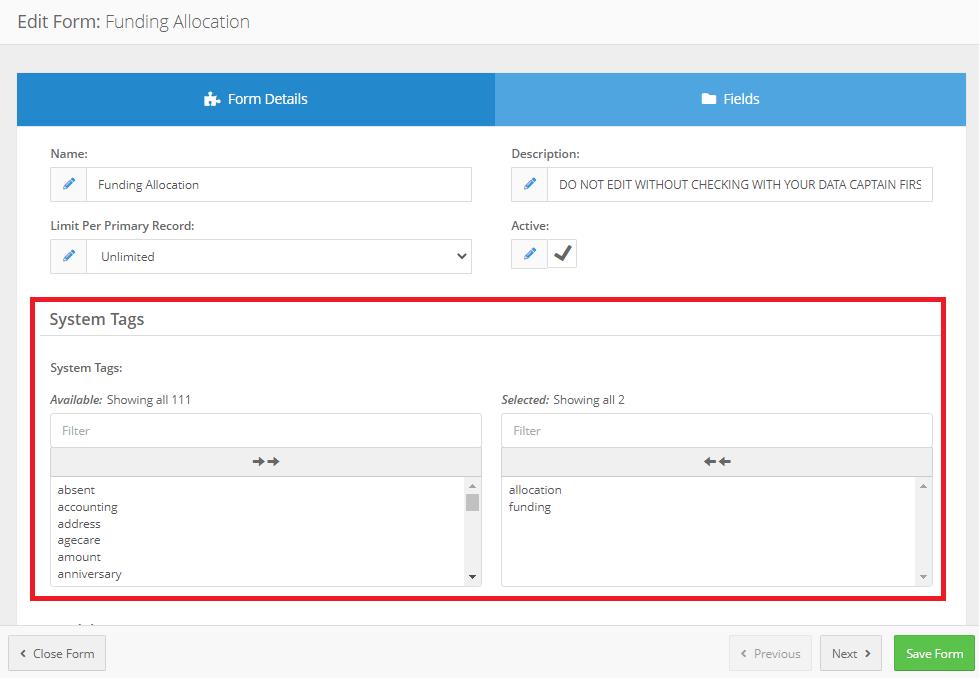
The funding claim form itself requires two tags to be applied, these tags are as follows:
- Funding
- Claim
Mandatory Fields
The following fields must be configured for full funding claim support. Field labels can be adjusted to suit your needs.
Service Delivery Date or Service Delivery Start Date
Purpose: Specify when service was delivered to a client. Can be either a single delivery date or a date range when used in conjunction with Service Delivery End Date- Field type: Date
- System Tags: date, claim, start
Service Item
Purpose: Specify service item to be claimed
- Field type: Service Item (allow category selection: no)
- System tags: service, product, identifier
Unit Amount
Purpose: Specify item-unit cost
- Field type: Currency
- System tags: unit, amount
Quantity
Purpose: Specify item quantity
- Field type: Number (decimal)
- Field validation: Regular Expression /^d+(.d{1,4})?$/ (limit input to four decimal places)
- System tags: unit, quantity
Claim Total
Purpose: Specify total claim amount (should be the product of unit amount x quantity)
- Field type: Currency
- System tags: debit, amount
Claim Directly
Purpose: Specify if matching items can be claimed directly from the funding body
- Field type: Checkbox (single)
- System tags: exchange, claim, authorisation
- Default value: {empty} or yes
Optional Fields
In addition to the common optional fields, the following fields will be used if configured correctly.
Service Delivery End Date
Purpose: Specify when service was delivered to the client. Can be optional
- Field type: Date
- System Tags: date, claim, end
Client No-show
Purpose: Specify that client failed to attend the appointment
- Field type: Checkbox (single)
- System Tags: client, event, absent
Funding Allocation Record Identifier
Purpose: Specify associated funding allocation record
- Field type: Text
- System Tags: funding, allocation, record, identifier
Service Classification (NDIS only)
Purpose: Apply NDIS-specific claim classification. Cancelled items will be attributed to ‘Other’ reason
- Field type: Dropdown List (values: -, CANC, TRAN, REPW)
- System tags: classification, secondary
Supplier (See supplier Records below)
Purpose: Specify associated claim supplier record
- Field type: Lookup (value
- System tags: company, name, claim
Funding claims can be utilised within single claim forms and allow Flowlogic to determine the correct path for invoice creation within the system. See Funding allocations for correct set up information.
Note: The COS Note & Claim Form follows the same principle and logic and should be configured accordingly.
Suppliers Records Setup (Optional)
If the supplier field is nominated it is essential that the "Suppliers" section be setup correctly. Suppliers must be primary records. No form tags are required for these records.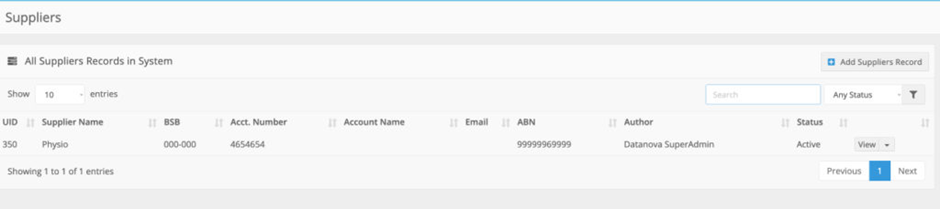 Optional fields (for Suppliers form)
Supplier Business Number (ABN or ACN)
Purpose: Specify registered business number for statements and/or NDIS Plan Management claims
Optional fields (for Suppliers form)
Supplier Business Number (ABN or ACN)
Purpose: Specify registered business number for statements and/or NDIS Plan Management claims
- Field type: text
- System tags: registered, business, number
- Field type: Text
- System tags: primary, service, classification, name
- Field Type: Text
- System tags: product, primary, identifier
- Field Type: Text
- System tags: product, accounting, identifier
- Field type: Text
- System tags: product, unit