Key Points
The Drive is where your organisation stores documents, PDFs, images and templates that staff need regular access to. Open it from Drive in the bottom-left of the section menu.
Four rights control the Drive: Drive View, Drive Admin, Drive Add and Drive Perm. Find them under System > Rights by searching for drive.
To add a file, open a folder, click Upload and select the file. It's immediately available to anyone with access to that folder.
The Drive has unlimited storage. Very large files, such as long videos, may not upload, so contact FlowLogic Support if you need to store one.
The Drive is where your organisation stores documents, PDFs, images, and templates that staff need regular access to, all in a single secure location within FlowLogic.
Drive rights
Before using the Drive, make sure the correct rights are assigned to the right groups. To view them, go to System → Rights and search for drive.
RightWhat it allowsDrive ViewSee the Drive in the section menu and access itDrive AdminPerform administrative tasks inside the DriveDrive AddUpload files and create foldersDrive PermManage and update permissionsGeneral staff may only need Drive View, while admin staff will likely need full access across all four rights.
Accessing the Drive
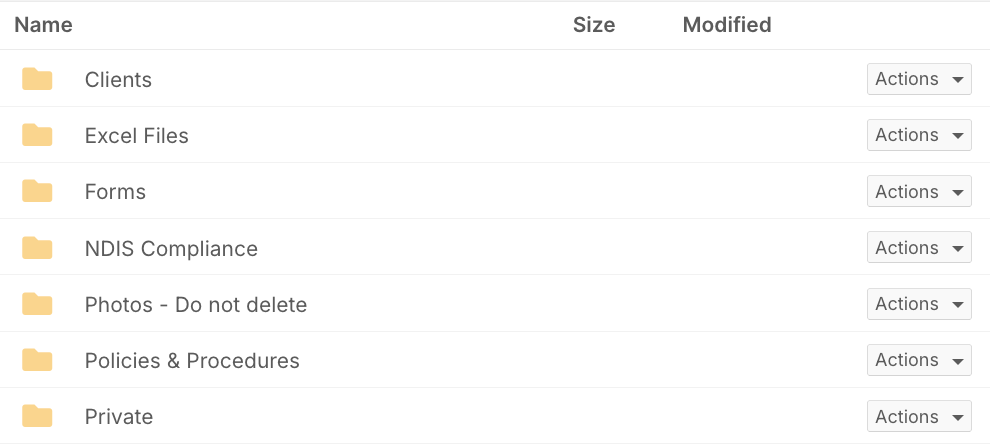
Once rights are assigned, go to Drive in the bottom-left of the section menu. When it loads, you'll see any existing folders along with the naming conventions in use - keeping files organised and consistent across the business.
Navigation tools
The toolbar at the top of the Drive screen gives you everything you need to navigate and manage content:
Upload files
Add documents to the current folder
Add folder
Create a new folder at any level
Search
Find specific folders or files quickly
Home
Return to the top-level folder view
Refresh
Reload if a new upload isn't showing yet

Storage and file size limits
The Drive has unlimited storage, and you can create as many folders and upload as many files as your organisation needs. The only constraint is individual file size.
Standard business files such as documents, PDFs, images and templates upload without any problem. Very large files, such as long videos, may not upload. If you need to store a large file, contact FlowLogic Support.
Most organisations use the Drive for documents, PDFs, images, and templates, all of which fall well within this limit.
Opening folders and uploading files
Click any folder to open it. Once inside, click Upload, select the file from your device, and FlowLogic will add it to that location. Once uploaded, the file is immediately available to anyone with access to that folder.